Are you using the fitness app on your iPhone to track your daily steps, calories burned, or heart rate? You might be wondering just how accurate these readings are.
After all, you trust this app to guide you on your health journey. But is it giving you the full picture? We will dive deep into the accuracy of the iPhone’s fitness app, separating fact from fiction. By the end, you’ll have a clear understanding of whether you can rely on this app for your fitness goals or if it’s time to consider other options.
Stay with us to uncover the truth behind those numbers on your screen.
Fitness App Features
Fitness apps on iPhone often provide detailed data on steps, calories, and heart rate. Users wonder about their accuracy in tracking these metrics. Regular updates and advanced sensors enhance precision, making them reliable for daily use.
The Fitness App on your iPhone comes packed with a range of features designed to help you keep track of your health and activity levels. But how accurate are these features, and what value do they really add to your fitness journey? Let’s dive into the essential components of the Fitness App and see how well they perform.Activity Tracking
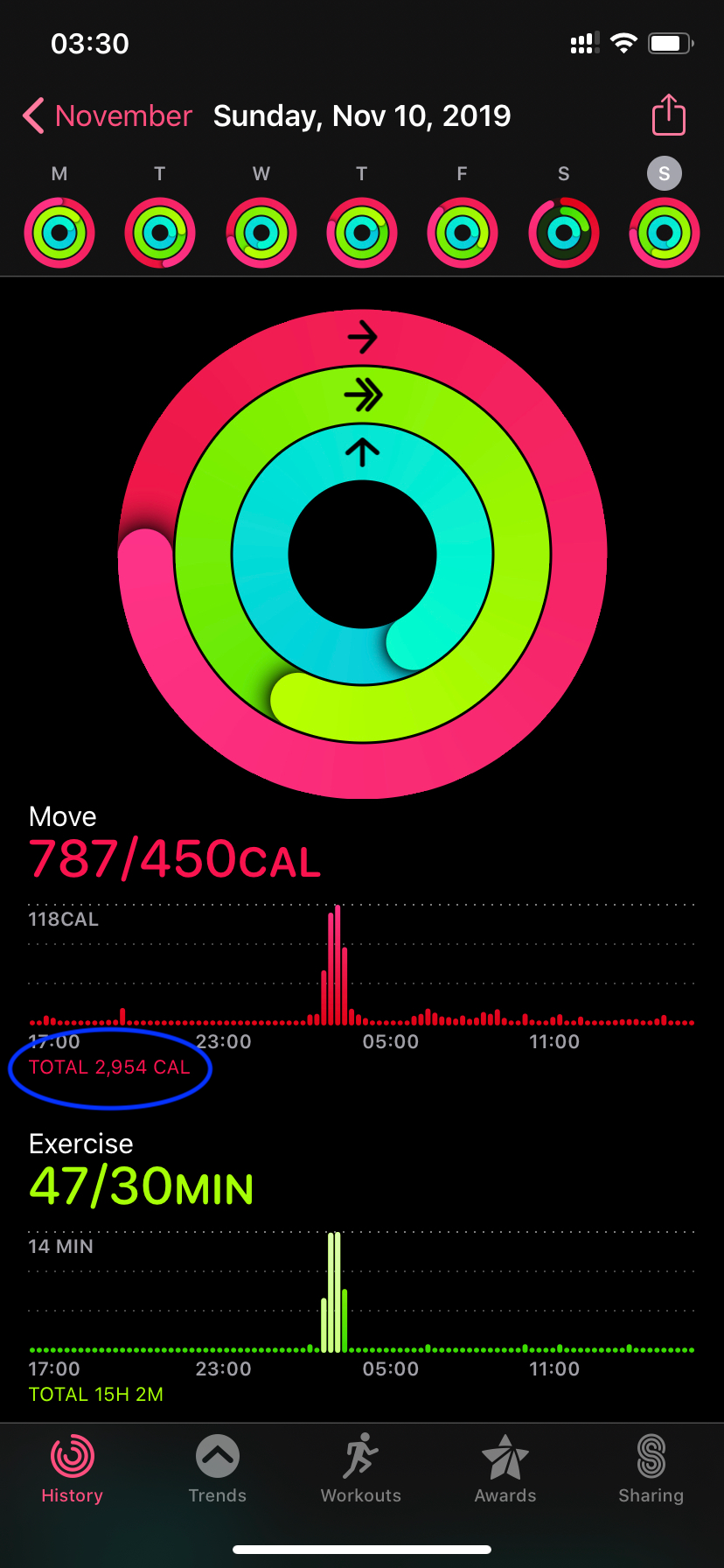
Activity tracking is one of the core features of the Fitness App. It allows you to monitor your daily movements, including steps taken, distance covered, and calories burned. The app uses your iPhone’s built-in sensors to gather data, offering a fairly accurate representation of your daily activity. Have you ever wondered if those step counts are spot on? While the app does a good job, factors like how you carry your phone or the type of exercise you’re doing can influence accuracy. Keeping your phone with you as much as possible during activities ensures you’re getting the most precise data.Health Metrics
The Fitness App also tracks various health metrics, offering insights into your overall well-being. These include heart rate monitoring, sleep analysis, and even mindfulness sessions. The more data you provide, the more personalized your insights become. But can you trust these metrics? Most users find heart rate tracking to be quite reliable, especially when compared to dedicated fitness wearables. However, for detailed health insights, pairing your app with an Apple Watch might enhance accuracy.User Interface
The user interface of the Fitness App is designed to be intuitive and user-friendly. It organizes data into easy-to-read charts and summaries, making it simple to track your progress over time. Even if you’re not tech-savvy, navigating through the app feels straightforward. Does an engaging interface make you more likely to stick with your fitness goals? For many, a visually appealing and organized app increases motivation and accountability. With a few taps, you can review your progress, set new goals, and even share achievements with friends. In essence, the Fitness App on your iPhone offers a robust set of features that can significantly aid in managing your fitness and health journey. But like any tool, its effectiveness largely depends on how you use it. Are you leveraging these features to their full potential?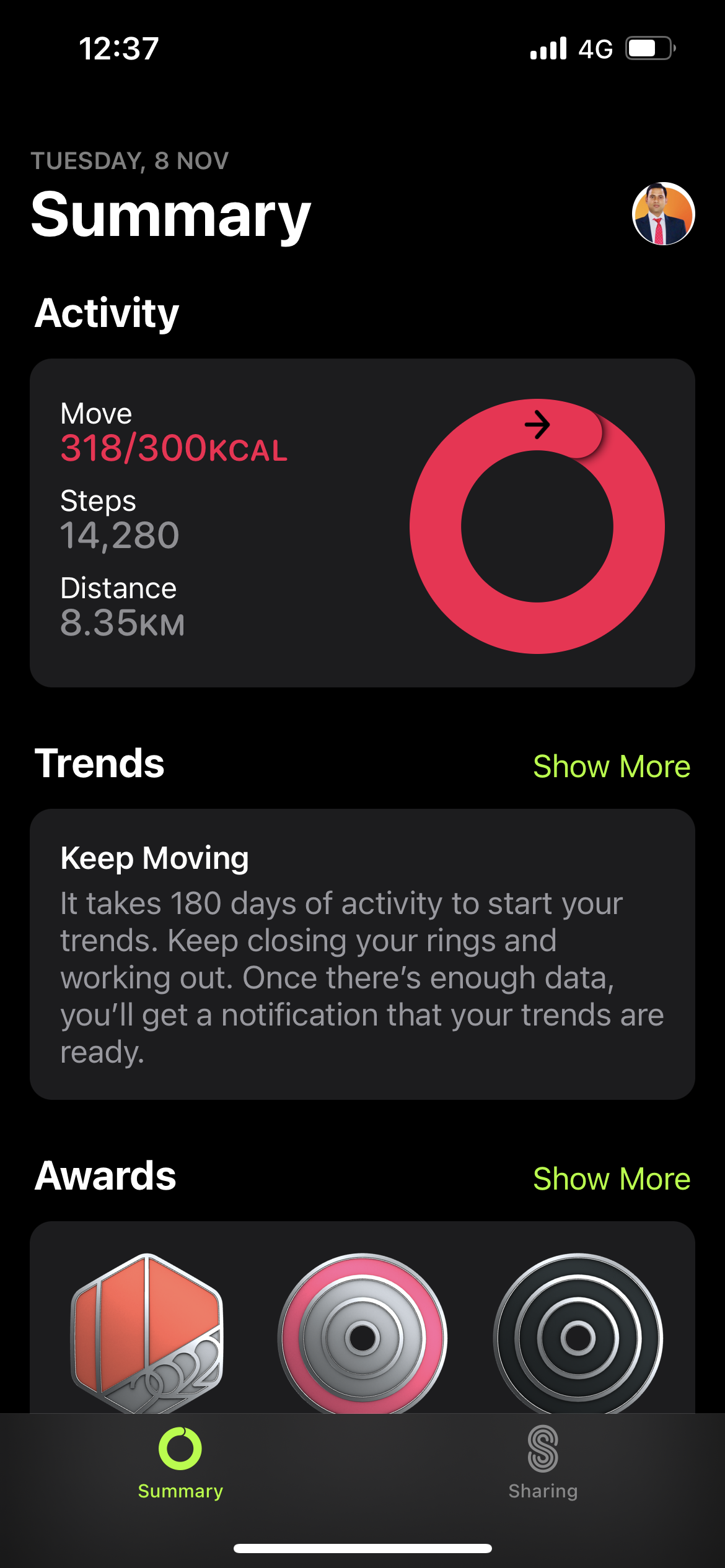
Credit: support.google.com
Accuracy Of Data
Many iPhone users rely on fitness apps to track their health and wellness journey. But how accurate is the data these apps provide? Understanding the precision of step counting, heart rate monitoring, and calorie estimation can help you make informed decisions about your fitness goals. Let’s dive into the specifics of each feature and see how they measure up.
Step Counting
Step counting is a fundamental feature of most fitness apps. It’s one of the easiest metrics to track but is it reliable? Many users find that the iPhone’s built-in accelerometer does a decent job. Try taking a walk with your phone in hand to see the count in action. You might notice slight variations compared to dedicated pedometers. It’s important to remember that carrying your phone in different ways might affect accuracy. Are you getting the most out of your step count?
Heart Rate Monitoring
Heart rate monitoring on the iPhone can be surprisingly accurate. Built-in sensors and algorithms work to give you real-time updates. When exercising, check your heart rate periodically to ensure you’re within your target zone. Some users compare readings with medical-grade devices and find them quite similar. However, factors like movement and sweat can sometimes skew the data. Have you noticed any discrepancies during your workouts?
Calorie Estimation
Calorie estimation is where many fitness apps face challenges. The iPhone uses a combination of step count, heart rate, and other metrics to calculate your calorie burn. While convenient, these estimates can vary greatly. Consider adding your personal stats like height and weight for better accuracy. Are these numbers aligning with your dietary goals? It’s a good idea to cross-check with nutritional apps or consult a nutritionist for a more precise assessment.
As you use your iPhone fitness app, keep these points in mind to enhance your understanding of the data it provides. Engage with your health journey actively and question the numbers when necessary. Does the app meet your expectations, or are you seeking more accuracy in your fitness tracking?
Technology Behind The App
The fitness app on iPhone uses advanced technology to track activity. This technology ensures accurate measurement of your fitness levels. Understanding how these features work can help you trust the app’s data.
Sensors Used
iPhones come with various sensors that enhance fitness tracking. The accelerometer measures movement speed and direction. The gyroscope senses rotation, improving activity detection. The GPS tracks outdoor workouts, like running or cycling. These sensors work together to provide detailed data.
Data Algorithms
The app uses data algorithms to analyze sensor inputs. These algorithms convert raw data into readable metrics. They interpret steps, calories, and distance. This ensures you see accurate progress. Consistent updates refine these algorithms for better precision.
Machine Learning Integration
Machine learning plays a key role in the app’s accuracy. It helps the app adapt to your unique habits. The more you use the app, the smarter it gets. This technology personalizes your fitness experience. You receive tailored insights based on your activity patterns.
Credit: medium.com
Comparison With Other Devices
The accuracy of fitness apps on the iPhone often sparks curiosity. With various devices available, understanding their precision is essential. Comparing the iPhone’s fitness app with other gadgets gives insights. It helps users make informed choices about tracking health and fitness.
Wearables
Wearables are popular for tracking daily activities. Devices like Fitbit and Garmin offer detailed metrics. They track steps, heart rate, and sleep patterns. The iPhone app competes with these features. The app’s precision matches many wearable trackers. Yet, wearables often provide more specific health data. This includes VO2 max and recovery time. Wearables may have advantages in specialized metrics.
Other Smartphone Apps
Many smartphones offer fitness apps. Samsung Health and Google Fit are examples. These apps provide similar tracking as the iPhone app. They monitor steps, calories, and exercises. The accuracy depends on phone sensors. Most smartphones use similar technology. Differences in app algorithms may affect results. Users often choose apps based on interface and ease of use.
Professional Equipment
Professional equipment delivers detailed health assessments. These include treadmill consoles and heart rate monitors. They offer advanced metrics like oxygen consumption. Such equipment is often used in gyms and clinics. The iPhone app provides basic tracking data. Professional gear gives detailed insights for athletes. For casual users, the iPhone app suffices. It offers convenience and simplicity for everyday tracking.
User Experiences
Fitness apps on iPhone offer user-friendly features to track health. Many users find these apps accurate for steps and calories. Yet, some question their precision for heart rate and sleep patterns. Regular updates improve their performance, making them a popular choice for fitness enthusiasts.
When it comes to using fitness apps on your iPhone, experiences can vary greatly. Some users swear by their accuracy, while others find discrepancies that challenge their trust. Understanding these personal experiences can help you decide if the app aligns with your fitness goals.Testimonials
Many users appreciate the convenience of tracking workouts and progress with the iPhone fitness app. Jane, a busy mom, finds that the app motivates her to stay active even on hectic days. She loves seeing her step count increase and setting new goals each week. Tom, a tech enthusiast, praises the app’s integration with other devices. He finds syncing his smartwatch with the app seamless, allowing him to keep an accurate record of his heart rate during intense workouts. These positive experiences highlight the app’s ability to fit into daily routines and provide a sense of achievement.Common Complaints
However, not all feedback is positive. Some users notice inconsistent data tracking. Sarah, a runner, mentioned that her app sometimes overestimates her calorie burn. This inconsistency makes it hard for her to plan her diet effectively. Another common issue is battery drain. Users like Mike express frustration when the app uses up too much power, especially during long workouts. The app’s demand on resources can be a drawback for those relying on their phone for other tasks throughout the day. These complaints suggest areas where the app could improve to enhance user satisfaction.Success Stories
Despite some criticisms, many users report significant fitness improvements using the app. Mark, who struggled with weight management, credits the app for his 30-pound weight loss. By tracking his food intake and exercise, he gained insights into his habits and made lasting changes. Anna shares her story of completing a half-marathon using the app’s training plans. She found the structured approach invaluable, helping her gradually increase her endurance and confidence. These success stories demonstrate the potential of the app to transform lives. But what about you? Could this tool be the key to reaching your fitness goals?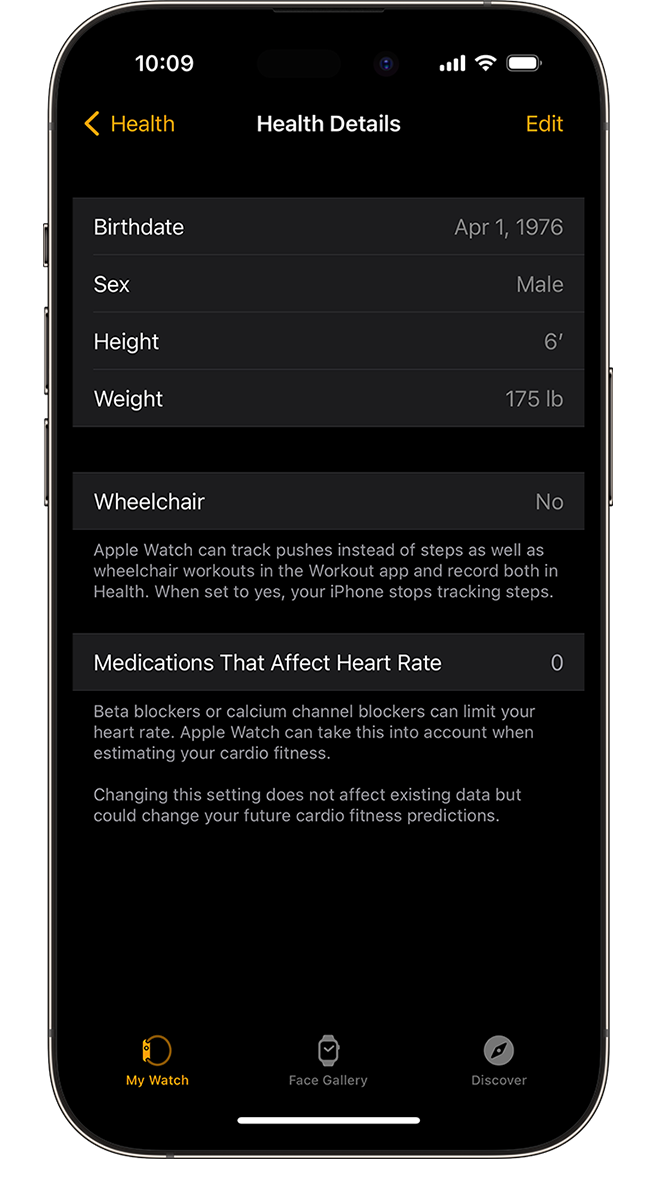
Credit: support.apple.com
Factors Affecting Accuracy
The accuracy of fitness apps on iPhones can vary. Several factors influence this. Understanding these can help you get better results. Let’s explore the key factors affecting accuracy.
Device Placement
The placement of your iPhone affects tracking accuracy. If the device is in your pocket, it might not count steps correctly. Holding it in your hand while walking can improve accuracy. Wearing an armband is also effective. Keep the device close to your body for best results.
User Behavior
Your behavior impacts app accuracy. Walking style and speed influence data collection. Short, quick steps might not register well. Consistent movement leads to better tracking. Be aware of your movements for reliable results.
Software Updates
Software updates play a role in app accuracy. Updates fix bugs and improve algorithms. Always keep your app updated. This ensures you benefit from the latest improvements. Updated software leads to more precise tracking.
Improving Accuracy
Fitness apps on iPhone aim to improve accuracy by using advanced sensors and algorithms. These tools track steps, heart rate, and calories, providing users with reliable data. Regular updates enhance precision, making daily fitness tracking more dependable.
Improving the accuracy of the Fitness App on your iPhone can make a significant difference in how you track and manage your health goals. You might wonder if the app is really counting your steps correctly or if it’s giving you an accurate read on your calories burned. By taking a few practical steps, you can enhance the reliability of the data you rely on for your fitness journey.Best Practices
Start with the basics by ensuring that your iPhone is calibrated correctly. Regularly update your height and weight in the Health app to provide a more accurate baseline for calculations. Keep your phone charged and wear it consistently during activities to avoid missing out on important data. Think about how you wear your phone. Placing it in your pocket or strapped to your arm can impact how it records steps and movement. Try to maintain a consistent position to avoid discrepancies in your daily logs.Third-party App Integration
Enhance the capabilities of the Fitness App by integrating third-party apps. Apps like MyFitnessPal or Strava can provide additional data points, such as nutrition tracking and advanced workout metrics. These integrations can offer a more comprehensive view of your health and fitness, ensuring you have a holistic approach to your goals. Be selective about which apps you connect. Not all apps provide the same level of accuracy, so choose ones with positive reviews and proven reliability. This can save you from the frustration of dealing with inaccurate data.Future Developments
Apple is continually working on improving the accuracy of its Fitness App. Future updates might include better algorithms for measuring calorie burn or more precise GPS tracking. These developments could offer you a better user experience and more dependable information. Stay informed about the latest updates and features. Keeping your app and iOS software up-to-date can ensure you’re benefiting from the latest enhancements Apple has to offer. What new features would you like to see in future updates? Your feedback could shape the next generation of fitness tracking. Improving the accuracy of your fitness app isn’t just about better data—it’s about achieving your health goals with confidence. As you refine your app experience, you’ll find yourself more motivated and informed in your fitness journey. What steps will you take today to ensure your data is as precise as possible?Frequently Asked Questions
Is Apple Fitness Accurate For Weight Loss?
Apple Fitness can be an effective tool for tracking workouts. It helps monitor calories burned accurately. Pair it with a balanced diet for weight loss. Use its metrics to set realistic goals. Regular use can enhance fitness routines and support weight management.
Always consult a healthcare professional for personalized advice.
Does Apple Fitness Overestimate Calories?
Apple Fitness can sometimes overestimate calories burned. Calibration, user settings, and workout type can affect accuracy. Ensure your personal data is correctly entered for better results.
How Accurate Is Iphone Distance Walked?
IPhone uses sensors and algorithms to estimate distance walked. Accuracy can vary based on user stride and terrain. Regular calibration improves results. For best accuracy, wear the device properly and update software. Independent fitness trackers or GPS can offer additional validation.
How Does The Fitness App On Iphone Calculate Calories?
The iPhone fitness app calculates calories using data like heart rate, steps, and personal metrics such as age and weight. It utilizes motion sensors and algorithms to provide accurate calorie counts based on your activities. Regular updates enhance accuracy by refining these calculations.
Conclusion
Fitness apps on iPhone offer useful insights. They track steps, heart rate, and sleep patterns. Accuracy varies among different features. Comparing with physical trackers can help verify results. Regular updates improve app performance. Checking reviews before downloading ensures reliability. Remember, fitness apps are tools, not replacements for professional advice.
Balance app data with personal judgment. Trust but verify for best results. Stay active and healthy. Keep exploring new features. Fitness journey is personal. Use technology wisely. Your health matters most.